


Flourish by Garden Joy
4.712.35K Reviews
App Specs
- Version
- 1.54.33
- Updated On
- License
- Free
- Downloads
- 1,000,000+
- Developer
- Burlingame Studios
- Categories
- Simulation
- Platform
- Android
Screenshots

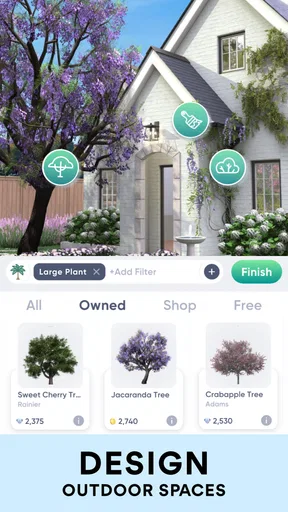
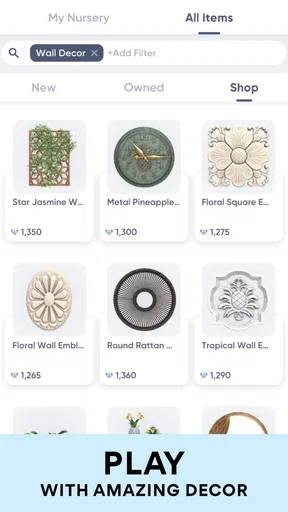


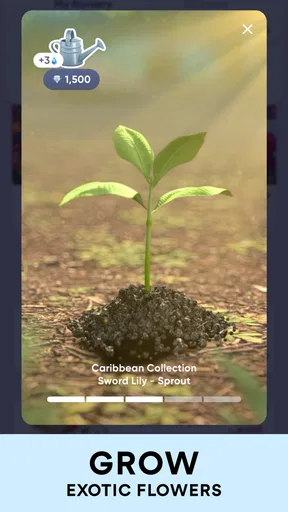


 Analysis by AppCompare
At first, Garden Joy: Exterior Designer is easy to enjoy because it turns an outdoor space into something you can experiment with from your phone. I like the idea of trying out a layout before committing time or money to it, especially when I’m not sure whether a seating area, planting scheme, or decorative detail will work together. The important question, though, is whether that first burst of inspiration has enough practical value to keep the game in my regular rotation.
The first week: an inviting place to experiment
As a free simulation game from Burlingame Studios, Garden Joy puts the focus on shaping outdoor spaces rather than managing a conventional garden in real life. Its appeal is immediate: I can explore a design, compare possible looks, and enjoy the creative process without first buying materials or moving furniture around. For someone who likes home-design games but wants to work outdoors rather than rearrange rooms, that distinction gives it a clear identity.
The game suits short, relaxed visits. I can open it when I have a few minutes, make a small design decision, and leave without needing to turn a casual session into a long project. That makes it an approachable choice for a commute break or a quiet moment at home. It is rated for Everyone, and the uncomplicated creative premise makes sense for a broad audience, including people who have never tried a garden-design game before.
Its early appeal is strongest for players who enjoy visual trial and error. Instead of asking me to know exactly what I want, the experience encourages me to look at a space and imagine alternatives. That can be more useful than collecting garden inspiration in a separate folder, because I can make choices within the design itself. Still, if you want a demanding simulation built around technical gardening knowledge, planning a real planting calendar, or detailed resource management, this is not the game I would choose first.
What keeps the designs worth returning to
I find the designs most rewarding when I return with a small question in mind—whether a space needs a clearer path, a different balance of greenery, or a more comfortable spot to sit. That gives each visit a purpose without turning a relaxing game into another obligation, and it makes the results easier to use as inspiration beyond the screen.
Month-to-month value is about fresh ideas
The long-term appeal depends less on a single impressive design and more on whether I enjoy returning to the act of making another one. Garden Joy works best as a low-pressure creative pastime: I can approach a design as a little visual puzzle, testing what feels balanced instead of trying to produce a perfect landscaping plan. That makes it a good fit for someone who likes arranging spaces but does not necessarily have a garden, a renovation budget, or the time to maintain a real project.
At the same time, a design game can lose its pull once the novelty of placing items wears off. I would treat it as a source of ideas and a casual creative outlet, not as a substitute for professional advice or a guarantee that a design will work outdoors. A real yard brings practical questions such as sunlight, drainage, weather, and upkeep. A pleasing on-screen arrangement is a starting point for thinking, but those real-world conditions still need their own attention.
Worth Reading Before You Choose

EA SPORTS FC Mobile 26 Is a Bigger Football Game, but It Takes Time

Flipboard Shows What News Apps Must Do Beyond the Feed

Switching to Android Auto Means Rethinking Your Driving Routine

Google Calendar Makes a Crowded Week Easier to Manage

Ludo King Makes the Most of the Minutes Between Plans

Baby Panda World Brings Quick Play to Modern Phones, but Its Game Library Feels Busy
Keeping it in your routine without making it a chore
I would get the most from the game by giving each visit a small purpose: explore one style, try a different arrangement, or save a visual direction for a space I’m considering. That is more satisfying than opening it with no idea what to do and expecting it to provide endless novelty. For example, after measuring a balcony, I could use a short session to compare a greener, softer look with a more open layout, then take those broad ideas into a real shopping decision.
That workflow also helps keep expectations realistic. A virtual design can help me notice that I prefer a clear path or a particular balance between planting and seating, but I would still check real dimensions and product requirements before buying anything. If your main goal is precise construction planning, reliable quotes, or horticultural guidance tailored to a specific site, a specialist tool or a conversation with a local professional is likely a better next step.
Cost, patience, and the reasons to take a break
The game is free to download, but it includes in-app purchases ranging from $0.99 to $99.99 per item. That is a wide spread, so I would decide how much I want to spend before getting drawn into optional purchases. The core appeal is creativity, and there is no need to assume that paying is essential just because an in-game option catches my eye. If I am comfortable playing at a slower pace, I can judge the experience on its own terms before deciding whether any purchase feels worthwhile.
Its current version is 1.49.31, and the game requires Android 7.0 or later on Android. It has a 4.7 average from around 42,000 ratings, with over a million installs, which suggests that the concept has found an audience. Those figures are useful context, but they do not answer the personal question of whether its pace and style suit me. I would try it because the idea appeals to me, not because popularity alone promises lasting enjoyment.
Who will enjoy it, and who may prefer another tool
If I want a gentle, visual game that lets me play with outdoor layouts, Garden Joy is an easy recommendation to try. It is especially appealing to people who enjoy decorating games, want a spark of inspiration for a small outdoor area, or simply like creating attractive scenes without the work of physically changing a garden. Its focus is much lighter than a serious landscape-planning program, which is a strength when I want to unwind and a limitation when I need exact real-world guidance.
I would skip it if I were looking for a detailed gardening simulator, a dependable catalog for local plant availability, or a step-by-step plan for building a space. Those needs call for tools that prioritize practical measurements, climate-specific advice, or project logistics over the pleasure of arranging a design. Garden Joy is better understood as a creative game than as a shopping or construction service, so I would keep those jobs separate.
My verdict after the initial novelty
Garden Joy is free, developed by Burlingame Studios, and categorized as a simulation game. It was released on March 23, 2023, and its current version is 1.49.31. I see its lasting value in having a convenient place to test visual ideas whenever I feel like refreshing an outdoor space, rather than in a promise that every session will reveal something new. That distinction matters: it can earn a place on my phone if I enjoy making designs for their own sake, but it may fade if I need constant goals or a practical tool for a real landscaping job.
For me, the best approach is to enjoy the creative freedom while keeping real-world decisions grounded in measurements, local conditions, and a sensible budget. The game offers a relaxed way to imagine what an outdoor space could become, and that can be enough to make it worth trying. I would recommend it to a friend who enjoys design games and wants a low-stakes creative break, while being clear that anyone planning actual work should use it for inspiration, not as their only plan.
Ever dreamed of transforming your backyard into a lush oasis without lifting a finger? Well, Garden Joy: Exterior Designer might just be the app to turn your landscaping dreams into reality. I’ve taken a deep dive into this app, and here’s everything you need to know about sprucing up your outdoor space with just a few taps on your smartphone.
Getting Started with Garden Joy
First things first, downloading Garden Joy is a breeze. It’s available on both Android and iOS, so no matter your device, you’re good to go. Once installed, the app welcomes you with a vibrant interface that’s as inviting as a well-manicured lawn. You’ll find it’s super intuitive, which is a major plus for those of us who aren’t exactly tech-savvy.
The app kicks off by asking a few questions about your outdoor space. Whether it’s a cozy balcony or a sprawling yard, Garden Joy tailors its suggestions to fit your specific needs. I appreciated how it doesn’t just throw random designs at you but really considers the space you’re working with.
Exploring Design Features
Once you’re set up, you’re in for a treat with the array of design tools at your fingertips. One of the coolest features is the augmented reality (AR) tool. You can point your phone at your garden and see how different plants, furniture, and even water features will look in real-time. It’s like having a personal landscape architect in your pocket!
The app also includes a massive library of plants and garden accessories. Each item comes with a detailed description, including care instructions, which is an absolute lifesaver for someone like me who struggles to keep a cactus alive. You can even filter items by climate, ensuring your selections will thrive in your local environment.
Designing Your Dream Garden
Garden Joy doesn’t just stop at visualization; it helps you plan out your entire project. You can create a shopping list directly within the app, which is incredibly handy for those weekend trips to the garden center. Plus, the app provides budget estimates, so you won’t be caught off guard by unexpected costs.
One feature I found particularly helpful is the community section. Here, you can browse designs from other users, get inspiration, and even share your own creations. It’s a fantastic way to see what’s trending and pick up a few tips from fellow gardening enthusiasts.
Support and Usability
Let’s talk about support because no app is perfect, right? Thankfully, Garden Joy offers a robust support system. There’s a comprehensive FAQ section and a responsive customer service team ready to help out if you hit a snag. I found the app to be pretty smooth sailing, but it’s comforting to know help is just a click away if needed.
In terms of usability, Garden Joy is impressive. The developers have clearly put a lot of thought into the user experience. Navigation is smooth, and the layout is clean and easy to understand. Whether you’re a gardening novice or a seasoned pro, the app caters to all skill levels with ease.
Final Thoughts
So, is Garden Joy worth a download? If you’re looking to revamp your outdoor space with minimal hassle, I’d say absolutely. The app combines innovative technology with practical tools to make garden design accessible to everyone. Plus, the added community features make it a fun and engaging experience.
Whether you’re aiming for a simple refresh or a complete garden overhaul, Garden Joy provides the tools and inspiration you need to create your slice of paradise. So, grab your phone, head outside, and let your creativity bloom!
Pros
- Intuitive interface for easy design creation.
- Wide variety of plants and decor options.
- Real-time collaboration with friends.
- Detailed tutorials for beginners.
- Offline mode for designing anywhere.
Cons
- Limited free content without purchases.
- Requires high storage space on device.
- Occasional lag with large projects.
- Customization options can be overwhelming.
- In-app ads can be intrusive.
FAQs for Flourish by Garden Joy
What is Garden Joy: Exterior Designer?
Garden Joy: Exterior Designer is an app designed for garden enthusiasts and homeowners looking to revamp their outdoor spaces. It allows users to visualize and plan their garden designs using a variety of tools and features. This app provides inspiration and practical advice, making it perfect for both beginners and seasoned gardeners.
Is Garden Joy: Exterior Designer available for both Android and iOS?
Yes, Garden Joy: Exterior Designer is available for download on both Android and iOS platforms. Users can find it on the Google Play Store and Apple App Store, ensuring accessibility for a wide range of smartphone and tablet users. Be sure to check compatibility with your device before downloading.
What features does Garden Joy: Exterior Designer offer?
Garden Joy offers a plethora of features, including 3D design tools, a plant library, and seasonal planning guides. Users can create custom layouts, experiment with different plant combinations, and receive personalized suggestions. The app also provides tutorials and tips for maintaining a beautiful garden all year round.
Are there any in-app purchases or subscriptions in Garden Joy?
Garden Joy: Exterior Designer offers a free version with basic features. However, to access advanced tools and exclusive content, users may need to make in-app purchases or subscribe to premium plans. These options enhance the app's capabilities, offering more personalized and detailed design solutions.
Can I use Garden Joy: Exterior Designer offline?
Certain features of Garden Joy: Exterior Designer may require an internet connection, such as downloading updates or accessing community content. However, the core design tools and saved projects can often be accessed offline, allowing users to work on their garden plans anywhere, anytime.


